
To add (or renew) a service or an annual subscription, you must be logged in as the Manager account (or navigate to the employer from a ComplianceBug Partner account).
Once logged in, complete the following steps:
Step 1
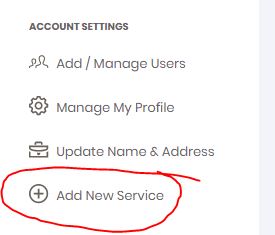
Choose ADD NEW SERVICE from the menu choices on the left navigation pane as shown:
Step 2
Click the START NOW button on the service you wish to renew to add it to your shopping cart.
Step 3
Continue to follow the CHECKOUT NOW process using the on screen instructions.
NOTE: If available, you can enter in a license code or coupon code to complete your subscription renewal.

