After ComplianceBug completes the preparation of your annual Form 5500, you’ll receive an email notification letting you know you can electronically review the DRAFT preparation and/or file the COMPLETED return(s) directly with the Employee Benefits Security Agency (EBSA) via our EFAST2 connection to the Department of Labor (DOL).
To access your filing(s):
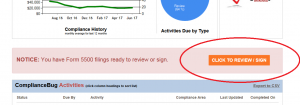
STEP 1: Click the REVIEW/FILE button that appears on your Compliance Scorecard
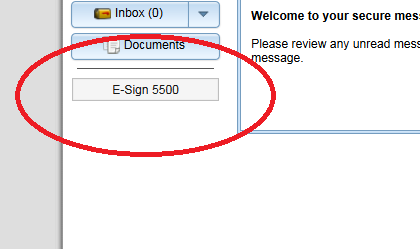
STEP 2: Click the E-SIGN 5500 button to show all filings for your account.
To review your DRAFT filings:
STEP 1: Click the PRINT 5500 button. For some browsers, this will open a NEW BROWSER TAB where you can view your filing. For others, it will download a PDF attachment to your computer.
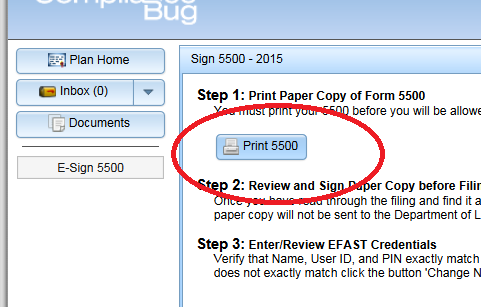
STEP 2: Use your browser’s PRINT/SAVE options to print (or save) the filing for your review and records. CLOSE ANY TABS OR CLICK THE EXIT/LOGOUT BUTTONS WHEN COMPLETE.
STEP 3: Let ComplianceBug (or your broker/consultant) know via fax/email of any edits/corrections you’ll need made to finalize your annual filing.
To SUBMIT a COMPLETED filing:
Access your filings as shown above. You’ll be REQUIRED to review/print a final version of your filing before being able to electronically submit it to the EBSA.
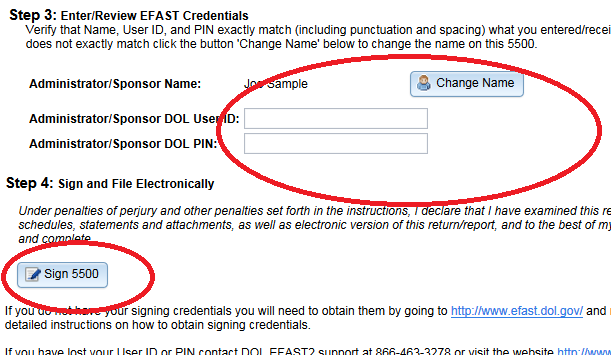
STEP 1: Enter your DOL signing credentials and click the SIGN 5500 button. NOTE: The credentials must be for the individual listed on the Form 5500. You cannot have one person’s name listed on the filing and use another person’s DOL credentials.